How to Use Starlink in Kenya is your ultimate guide to setting up and optimizing satellite internet, ensuring reliable connectivity in rural and underserved areas.


[caption id="attachment_1902" align="alignnone" width="1280"] How to Use Starlink in Kenya[/caption]
In recent years, Starlink has emerged as a groundbreaking solution for internet connectivity, particularly in areas where traditional internet services fall short. As a satellite internet constellation developed by SpaceX, Starlink aims to provide high-speed, low-latency internet access to users around the globe, including in Kenya. This innovative service holds significant promise for the country, where many remote and underserved regions struggle with reliable internet access.
Reliable internet is no longer a luxury; it has become a necessity for education, business, and communication. In Kenya, where geographical challenges and infrastructural limitations can hinder connectivity, Starlink presents an opportunity to bridge the digital divide. With its ability to reach even the most isolated areas, Starlink can empower individuals, enhance educational opportunities, and stimulate economic growth. In this article, we will explore how to effectively use Starlink in Kenya, ensuring that everyone can benefit from its transformative technology.
[caption id="attachment_1915" align="alignnone" width="1200"] Illustration of SpaceX's Starlink network of satellites.[/caption]
Starlink is a revolutionary satellite internet service developed by SpaceX, designed to provide high-speed internet access globally. Unlike traditional internet services that rely on ground-based infrastructure, Starlink uses a constellation of low Earth orbit (LEO) satellites to deliver connectivity directly to users. This innovative approach enables Starlink to offer internet services in even the most remote and challenging locations, making it particularly valuable for regions with limited access to reliable connectivity.
Global Coverage: Starlink aims to provide internet access to users around the world, including rural and underserved areas in Kenya.
High Speeds: Users can expect download speeds ranging from 50 Mbps to 150 Mbps, with latency typically between 20 ms to 40 ms, allowing for smooth browsing, streaming, and online gaming.
Easy Setup: The Starlink kit includes a satellite dish, Wi-Fi router, and necessary accessories, all designed for a straightforward installation process. Most users can set up the system themselves in just a few minutes.
Continuous Improvement: As more satellites are launched, Starlink's service is expected to improve, with enhanced speeds and reduced latency over time.
Access to Remote Areas: Starlink breaks down barriers to internet access in remote and rural locations, empowering users with the ability to connect to the online world.
Reliable Connection: With its satellite-based technology, Starlink offers a stable and consistent internet connection, reducing downtime and ensuring users can stay connected when they need it most.
Support for Various Applications: Starlink is suitable for a wide range of activities, from remote work and online education to video conferencing and streaming, making it a versatile choice for users in Kenya.
By harnessing the power of satellite technology, Starlink is transforming how Kenyans access the internet, providing an essential service that can drive progress and connectivity across the nation.
[caption id="attachment_1571" align="alignnone" width="1056"]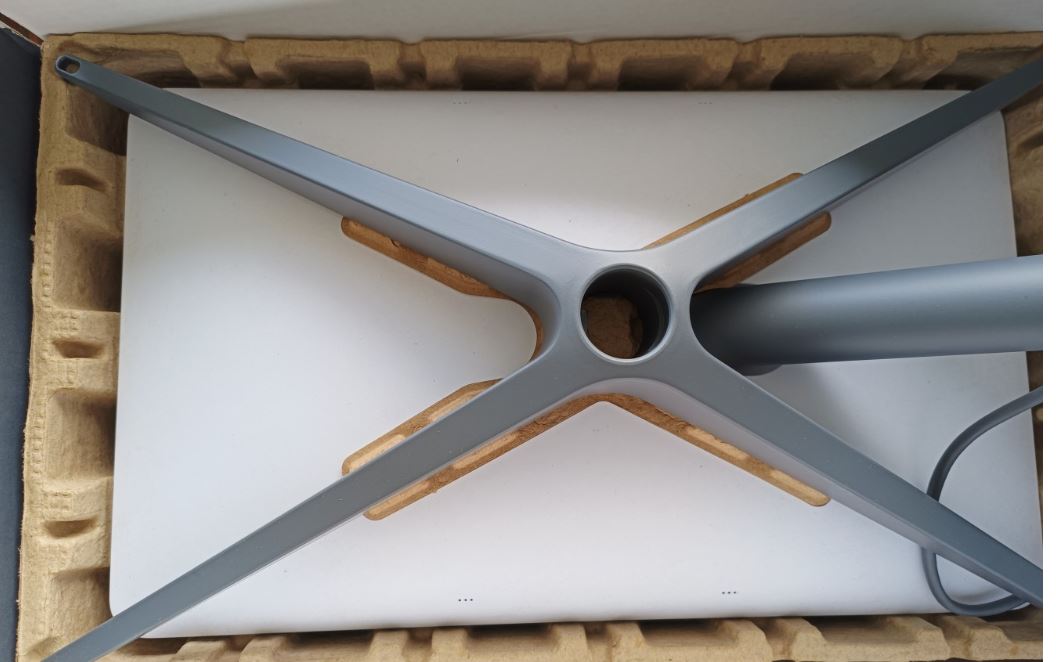 How to Use Starlink in Kenya[/caption]
Setting up Starlink in Kenya is a straightforward process that enables users to enjoy reliable internet access. This section will guide you through purchasing the necessary equipment, installing the satellite dish, and connecting to the Starlink network.
How to Order Starlink Kits To get started with Starlink, the first step is to order your Starlink kit. You can do this by visiting the official Starlink website, where you will need to enter your address to check service availability in your area. Once confirmed, you can place your order online and pay for the equipment.
Recommended Retailers and Authorized Resellers in Kenya While the primary method for purchasing Starlink kits is through the official website, you may also find authorized resellers and local retailers offering Starlink equipment. Make sure to verify the credibility of any third-party sellers to ensure you receive genuine products and support.
Step-by-Step Guide to Setting Up the Starlink Dish
Unpack the Kit: Open your Starlink kit and ensure all components are included: the satellite dish (also known as "Dishy"), a Wi-Fi router, a power supply, and necessary cables.
Choose an Installation Location: Select a location with a clear view of the sky to minimize obstructions. Ideally, the dish should be placed outdoors, elevated, and free from trees, buildings, or other structures.
Mount the Dish: Use the mounting hardware provided in the kit to secure the dish in your chosen location. Ensure it is stable and positioned correctly.
Connect the Cables: Plug the power supply into an electrical outlet and connect it to the satellite dish. Then, connect the Wi-Fi router to the dish using the provided cable.
Power Up: Turn on the power supply and wait for the dish to self-adjust and connect to the Starlink satellites. This may take a few minutes.
Tips for Optimal Placement and Setup
Instructions for Connecting Devices to Starlink Wi-Fi
Access the Wi-Fi Network: After the installation is complete, locate the Wi-Fi network name (SSID) provided on the router.
Connect Your Device: On your device (laptop, smartphone, etc.), search for available Wi-Fi networks and select the Starlink network. Enter the password, which is also provided on the router.
Test the Connection: Once connected, open a web browser to test your internet connection and ensure everything is functioning correctly.
Troubleshooting Common Connection Issues
By following these steps, you can successfully set up Starlink in Kenya and enjoy seamless internet connectivity for your home or business.
[caption id="attachment_1832" align="alignnone" width="949"]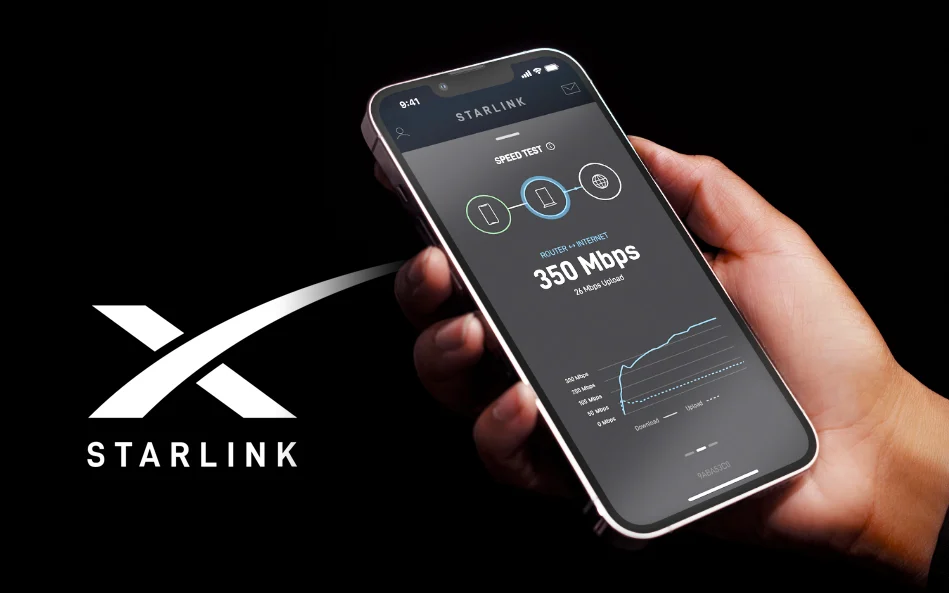 How to Use Starlink in Kenya[/caption]
Once you have set up your Starlink system, you can begin enjoying the benefits of high-speed internet. This section provides an overview of Starlink’s internet speed and reliability, along with tips for optimizing your connection and recommendations for devices and applications that enhance your online experience.
Starlink offers impressive internet speeds, typically ranging from 50 Mbps to 150 Mbps. Users can expect latency between 20 ms and 40 ms, which is sufficient for most online activities, including streaming, video conferencing, and gaming. In areas where traditional internet options are limited, Starlink’s satellite-based service can significantly improve connectivity, providing a reliable option for both residential and commercial users.
However, internet speeds may vary based on several factors, including the number of users connected to the network, the dish’s positioning, and weather conditions. Starlink’s ongoing satellite launches and technology upgrades aim to enhance service reliability and speed over time.
Optimize Dish Placement: Ensure your Starlink dish has an unobstructed view of the sky. Regularly check for any potential obstructions, such as growing trees or newly constructed buildings.
Keep Firmware Updated: Regularly check for firmware updates through the Starlink app or web portal to ensure your system runs smoothly and efficiently.
Use Ethernet Connections: For stationary devices like desktop computers or gaming consoles, consider using an Ethernet cable to connect directly to the router. This can provide a more stable and faster connection compared to Wi-Fi.
Limit Bandwidth-Heavy Activities: During peak usage times, limit activities that require significant bandwidth, such as large downloads or high-definition streaming, to minimize disruptions.
Monitor Network Traffic: Use apps or built-in tools to monitor network usage and identify devices that may be consuming excessive bandwidth.
Wi-Fi Extenders: If you have a large home or office, consider using Wi-Fi extenders to enhance coverage and eliminate dead zones.
Quality of Service (QoS) Routers: Routers with QoS features allow you to prioritize bandwidth for critical applications, ensuring smooth performance for video calls or online gaming.
VPN Services: For secure browsing and enhanced privacy, consider using a VPN. Some VPN services are optimized for use with satellite internet to minimize any potential speed loss.
Streaming Apps: Popular streaming services (like Netflix, YouTube, and Spotify) can function well with Starlink, allowing users to enjoy content with minimal buffering.
Online Collaboration Tools: Applications such as Zoom, Microsoft Teams, and Google Workspace work effectively with Starlink, making it suitable for remote work and virtual meetings.
By understanding how to best utilize Starlink in Kenya, users can optimize their internet experience, ensuring that they can take full advantage of the opportunities that come with reliable connectivity.
[caption id="attachment_1666" align="alignnone" width="1280"] How to Use Starlink in Kenya[/caption]
How to use Starlink in Kenya?
Can I use Starlink in rural areas of Kenya?
What equipment do I need to use Starlink in Kenya?
How to troubleshoot Starlink connection issues in Kenya?
Is there customer support for Starlink users in Kenya?
How much does Starlink service cost in Kenya?
What internet speeds can I expect from Starlink in Kenya?
Can I use Starlink for online gaming and streaming in Kenya?
[caption id="attachment_1916" align="alignnone" width="1920"] How to Use Starlink in Kenya[/caption]
In conclusion, Starlink presents a transformative opportunity for internet access in Kenya, particularly in rural and underserved regions. With its satellite-based technology, users can experience high-speed internet that supports a variety of activities—from remote work and online education to entertainment and communication. The reliability and ease of use make Starlink an ideal solution for those seeking consistent connectivity in areas where traditional internet services may fall short.
As the demand for reliable internet continues to grow, exploring Starlink’s services can help bridge the digital divide, empowering individuals and communities across the nation. Whether you’re looking to enhance your home internet experience or support your business operations, Starlink is poised to deliver the connectivity you need.
Are you ready to elevate your internet experience with Starlink? Don’t navigate the setup process alone! Contact Starlink Kenya Installers today for expert assistance with installation and setup. Our dedicated team is here to guide you through every step, ensuring that you enjoy seamless connectivity as quickly and easily as possible.
Whether you have questions about equipment, installation tips, or optimizing your network, we’re here to help. Reach out to us now to unlock the full potential of Starlink in your home or business and experience reliable internet access like never before!